blog

(Autokit、ワイヤレスCarPlay用ワイヤレスバージョン) USAGE & UPGRADEチュートリアル -アフターマーケットAndroidヘッドユニット用Carlinkit CPC200-Autokitドングル用

iPhoneで動作するCarlinkitドングル(Autokit、ワイヤレスバージョン)を持っている場合、どのようにワイヤレスCarPlayを使用するためにドングルをアップグレードする必要がありますか?

アンドロイドのヘッド単位の無線 CarPlay を使用し、改善する 6 つのステップに続くこと容易があります。行きましょう!

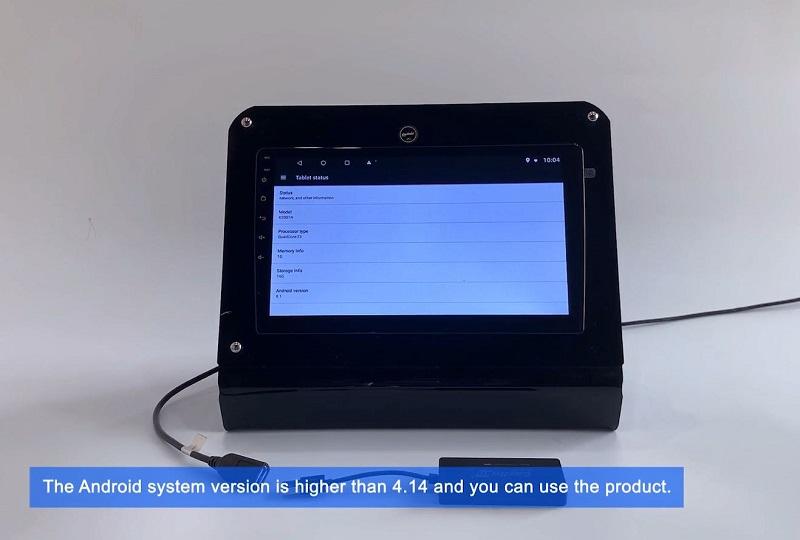
1、アンドロイド車のバージョンを見る

  • 車のシステムで、設定からシステムのバージョンを確認してください。view Android car version -  1. On the car system, go to setting and check the system version.
  • Android syetemが4.14以上であれば使用可能です。The Android syetem is higher than 4.14 and ou can use the product.


2、APPのダウンロード

  • Autokit.apkをダウンロードし、カーシステムのデスクトップにインストールしてください。2. Download Autokit.apk and install successfully on the car system desktop.

3、接続とペアリング

  • ワイヤレス製品を車のUSBポートに挿入し、Autokit.apkが製品のBluetoothを検索するのを待ちます。3. Insert the wireless product into the USB port of the car, and wait for the Autokit.apk to search for the product's Bluetooth.
  • その後、iPhoneのBluetooth検索と製品のBluetoothを選択します。4. Then iPhone Bluetooth search and select the product's Bluetooth
  • パスワード「0000」を入力し、ペアリングをクリックします。完了です。enter the password "0000", click pairing. Done.


4、CarPlayの使用

  • 接続が完了すると、CarPlayを使用することができます。5. After completing the connection, you can use CarPlay.
  • 地図、音楽、電話、スプリットスクリーン、その他の機能を使用できます。6. Use map, music, phone, split screen and other functions.

5、スクリーンミラー

  • Autokit.apkをクリックし、Mirrorlinkオプションを選択し、高品質のUSBケーブルを使用して電話を接続します。Screen Mirror - Click Autokit.apk, select the Mirrorlink option, use a high-quality USB cable to connect the phone,
  • 電話の画面を同期することができます。Screen Mirror - You can synchronize the phone screen.


6、オンライン・アップグレード

  • Autokit.apkをクリックし、設定をクリックすると、最新バージョンにアップグレードできます。Online Upgrade - click Autokit.apk, click settings, you can upfrade to the lastest version.

コメントを残す